

What is Mailchimp?
Mailchimp is a marketing automation platform that fulfills all your requirements related to email correspondence with your target audience.
Email marketing helps you connect and engage with your customers regularly and build a positive relationship to improve your workflows and productivity.
Apart from sending bulk emails, it will also facilitate you to develop custom templates, email automation, preview & test mail options, tracking campaign performance (analytical features), integration with other apps, etc.
How to use Mailchimp
Mailchimp is an easy tool to operate with its better intuitive UI. Now, let’s see the basic steps required to set up an effective email marketing campaign using the Mailchimp application.
• Create your account
• Import contacts
• Edit and customize your form
• Schedule the campaign
• View and analyze your campaign report
Is MailChimp free?
Mailchimp provides five different plans based on its pricing options: free, essentials, standard, premium, and Pay as you go.
The free plan will have some limitations in its features compared to other options. So you can choose the most appropriate one based on your constraints and requirements.
Mailchimp alternatives
Mailchimp is one of the top email marketing service providers on the market. They become prominent with their multiple features and automation facilities. Today, several competitors exist in terms of features, quality, and price. Some of them are:
• Sendinblue
• Hubspot
• ConvertKit
• AWeber
Mailchimp features
Campaign creation
You can send emails to all your subscribers in a single stretch or group them into segments to target them better based on your requirements. In addition to that, it’s also possible for you to edit and customize emails to represent your brand.
Automation for a better experience
You can automate tasks using default marketing settings to be more convenient for you to enhance your workflows and productivity and better customer experience.
Analytics
MailChimp also has Google Analytics integrated to track and analyze the campaign results in your dashboard.
MailChimp Integrations
Mailchimp integration with different tools will help boost productivity by making it simpler for users to switch back and forth as needed within a unified platform.
Generate Report
The Report feature will help you generate insights based on your campaign performance and improve your future campaigns. Mailchimp integration with Askfield lets you add or create new leads & subscribers instantly to your Mailchimp audience list and collect valuable feedback from them. Furthermore, you can create personalized campaigns and segment your audience efficiently to close more deals with this integration.
Mailchimp Survey Integration: Use Cases
Create new Contacts/Leads from Web Forms
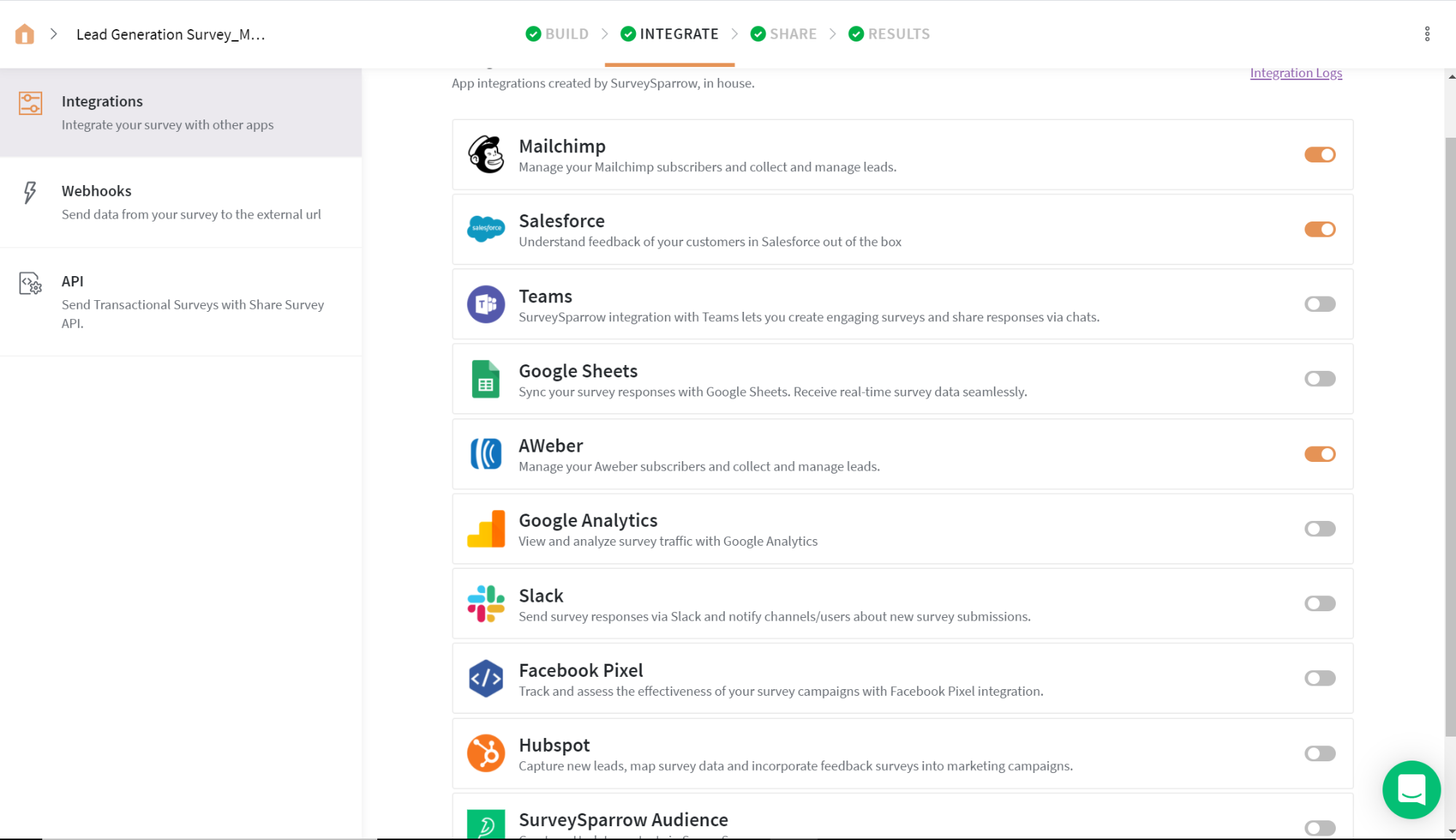
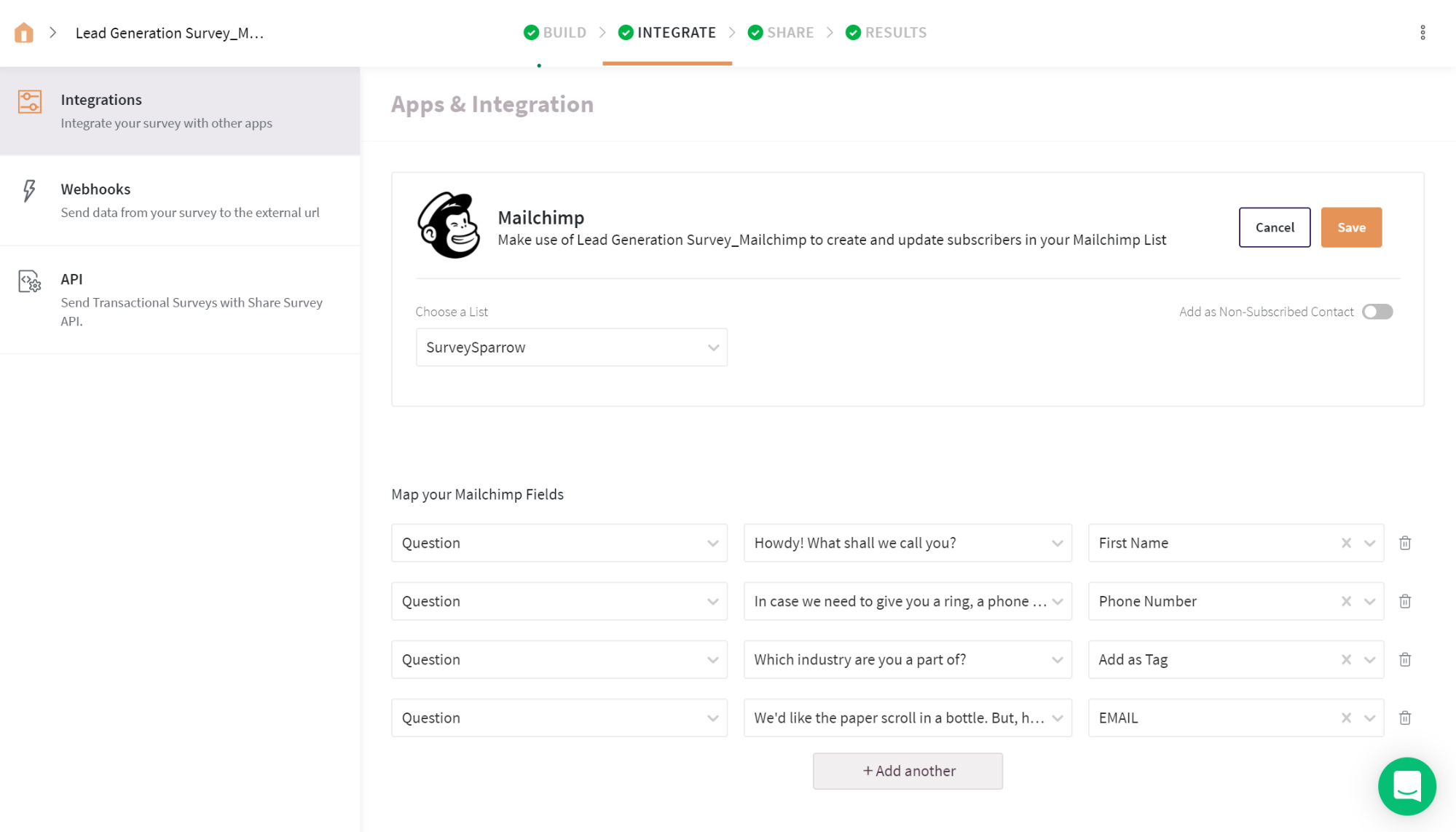
Create and manage new contacts/leads to your Mailchimp audience list with Askfield – Mailchimp integration. Enable the toggle, map your survey questions/variables with the corresponding Mailchimp fields and manage all your Mailchimp subscribers, leads and contacts effortlessly.
Segment existing contacts using Tags from Survey Feedback
How to set up your MailChimp Survey Integration
Webhooks
A webhook in web development is a method of augmenting or altering the behavior of a web page, or web application, with custom callbacks.
- Step 1: Get the API Token. Click the Account Name on the top right side and navigate to Accounts. In the Accounts page, select Extras and copy the generated API Key.
- Step 2: Select Method – POST
- Step 3: Enter the Callback URL – https://us4.api.mailchimp.com/3.0/lists
- Step 4: Pass API Key as Auth. Enter the code snippet below.
- Step 5: Save your details and test the connection.
Step 4: query: { “name”: “sadfd”, “contact”: { “company”: “asdfsdf”, “address1”: “sfds”, “address2”: “sdf”, “city”: “sdf”, “state”: “sdfasdf”, “zip”: “9879”, “country”: “sfdsadf”, “phone”: “098978678” }, “permission_reminder”: “22”, “use_archive_bar”: true, “campaign_defaults”: { “from_name”: “sdf”, “from_email”: “sfdsd@sdf.vcom”, “subject”: “adsasdasd”, “language”: “asdasd” }, “notify_on_subscribe”: “”, “notify_on_unsubscribe”: “”, “email_type_option”: “”, “visibility”: “pub”, “double_optin”: true, “marketing_permissions”: true }

Zapier is an online automation tool that connects your apps and services. You can connect two or more apps to automate repetitive tasks without coding or relying on developers to build the integration.
Trigger – New Survey Submission
- Step 1: Choose App and Event – Askfield and New Submission
- Step 2: Choose Account – Sign in to your Askfield Account
- Step 3: Customize Submission – Choose Survey to Send response
- Step 4: Test Connection – Check Submission
Action – Add/ Update Subscriber in Mailchimp
- Step 1: Choose App and Event – Mailchimp and Choose Chanel/ User to Send message
- Step 2: Choose Account – Sign in to your Mailchimp Account
- Step 3: Customize the Subscriber
- Step 4: Choose Audience
- Step 5: Map survey response email to Subscriber’s email
- Step 6: Map other necessary contact details
- Step 7: Test the connection